



AI Summary
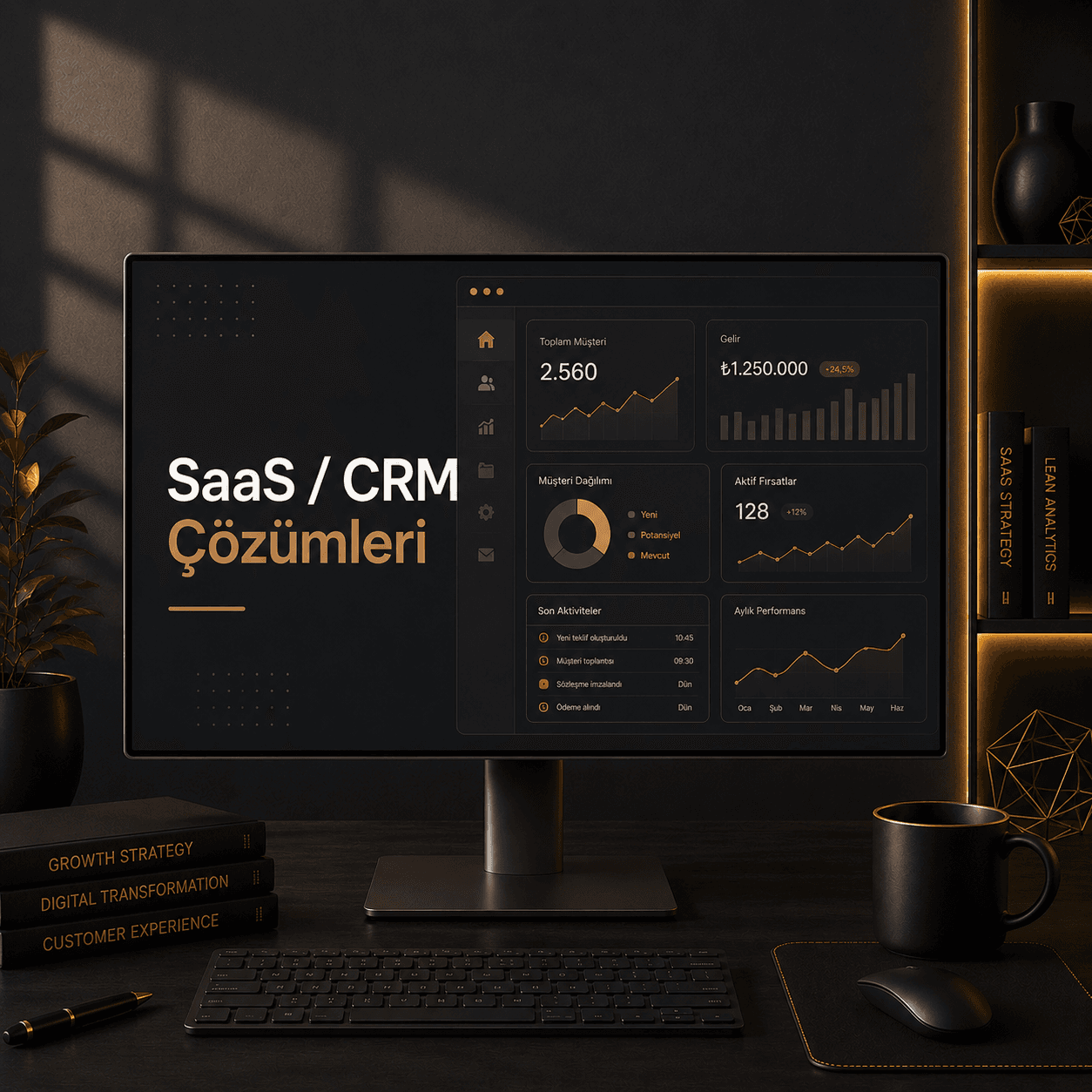
SaaS / CRM Solutions bring customer, sales, task, quote and reporting workflows into one system, helping teams work more clearly and reducing missed opportunities.
Let's Talk!When Off-the-Shelf CRM Doesn't Fit Your Sales Process
Salesforce, HubSpot, Pipedrive and Zoho cover a lot of ground for most companies. They hold customer records, surface a sales pipeline and tidy up team communication — up to a point. As your process matures, the same tool starts to push back: custom approval flows feel awkward, industry-specific fields get squeezed in, and every reporting request turns into a configuration project. SaaS CRM solutions built from scratch step in here. I design and ship custom systems that consolidate customers, sales pipeline, quotes, tasks and workflows into a single panel — for internal use or as a product you sell to your own customers.
When SaaS CRM solutions are actually needed
There are three signals that off-the-shelf CRM has hit its limit:
- Your process doesn't fit the standard template — Multi-stage approvals, segmented quote structures, industry-specific KPIs or layered segmentation push generic CRMs to the edge.
- Your data lives in too many places — Excel, email, Trello, WhatsApp and Drive. Installing a generic CRM leaves half the data outside; a custom build pulls those sources into one place.
- You want to ship your own SaaS product to customers — Subscriptions, plans, user roles, multi-tenant architecture and billing flow need to be designed from scratch; an off-the-shelf CRM isn't the foundation for that.
If at least one of those is true, custom SaaS CRM solutions are the right move. The case isn't "licenses are expensive" — it's process-software mismatch.
What I build into a SaaS / CRM solution
Every project is different, but the spine usually contains the same building blocks:
- Customer and opportunity management — Lead, prospect and customer stages, segmentation, tagging and lead scoring logic.
- Sales pipeline — Stage-based visualization, drag-and-drop deal movement, win probability and forecast reports.
- Quote and contract flow — Template-driven quote generation, PDF export, approval chain, e-signature integration.
- Tasks and reminders — Customer-linked tasks, calendar integration, automated reminder emails.
- Role-based access — Separate permission matrices for sales rep, manager, finance and admin. GDPR-aligned data visibility.
- Subscriptions and billing (for SaaS products) — Stripe integration, plan changes, free trial, invoice automation.
- Reporting and dashboards — Executive dashboards, sales performance, MRR, churn rate and custom KPI reports.
- API and integrations — REST API and webhook layer; bridges to accounting, email marketing and calendar tools.
The SaaS CRM build process step by step
- Process map and discovery — We walk through your current sales flow, the tools you use and where the process breaks. Output: a one-page flow diagram and feature list.
- Data model and role definition — Customer, opportunity, quote, product and user tables and their relationships. Who-can-see-what matrix gets crystallized.
- UI prototype — Critical screens (dashboard, deal detail, quote builder) are sketched at low fidelity. Discussion happens on paper; code comes after.
- Development — Modular architecture on Next.js + TypeScript, PostgreSQL database, JWT or OAuth-based authentication. Frontend and backend in a single monorepo.
- Integrations — Stripe subscription flow, email provider (Resend or SendGrid), calendar (Google Calendar), accounting bridge via webhooks.
- Testing and training — Real-scenario testing with your team, bug list cleanup, user onboarding videos.
- Launch and support — Production deployment, monitoring, intense first-week support, then a monthly maintenance plan.
Which technologies I work with
A modern, scalable stack that stays maintainable over years:
- Next.js + React — Server components, app router and API routes in one codebase. Admin panel and customer-facing screens live together.
- TypeScript — Type safety from database schema to UI component. "Undefined" runtime errors drop sharply in production.
- PostgreSQL + Prisma / Drizzle — Solid relational base, type-safe ORM, fast developer ergonomics.
- Tailwind CSS — Consistent design system in the admin panel, small CSS bundle.
- Authentication — JWT + bcrypt, NextAuth or Clerk depending on need. Multi-factor authentication (MFA) optional.
- Stripe subscription stack — Plan management, trial, proration, webhook-driven state sync.
- Deployment — Vercel or self-hosted (Docker + VPS); database on Supabase, Neon or managed PostgreSQL.
Where custom SaaS CRM adds the most value
The investment doesn't produce the same outcome for every company. It pays back when:
- You sell B2B SaaS or long-cycle B2B services with multi-step quoting.
- You operate in a specialized vertical (health, legal, logistics, manufacturing) where standard CRM templates feel forced.
- You have over 100 active customers and Excel-based tracking has become inconsistent; reports are still pieced together by hand.
- You want to launch your own SaaS product where subscriptions, user roles and tenant architecture need to be built from scratch.
- Your monthly CRM license bill has grown and your team only uses a small slice of the features you pay for.
Off-the-shelf CRM vs custom SaaS — a comparison
Both approaches are valid; the right call depends on the company:
- Off-the-shelf CRM (Salesforce, HubSpot, Pipedrive, Zoho) — Fast start, broad ecosystem, ready integration library. Per-seat monthly license, and customization eventually turns into a consulting bill.
- Custom SaaS / CRM build — Higher upfront investment, but the process fits exactly, no per-seat licensing, and your data stays fully with you. New features need a developer.
- Hybrid approach — Off-the-shelf CRM as the core, custom modules (reporting, niche workflows) as a complementary panel. For some companies this is the smartest choice.
Decision helper
If you've outgrown your off-the-shelf CRM, if your team still keeps a parallel Excel, or if you're planning to launch your own SaaS product, custom SaaS CRM solutions are the right investment. I always start with a 30–45 minute discovery call to look at your current tools, the actual bottleneck and what share of your need is genuinely custom. Some projects don't need a from-scratch system — a small integration on top of your existing CRM is enough. The right answer comes out of that conversation.
What's included
- Customer, lead, quote and task management
- Pipeline, reminders, notes, files and notifications
- Roles, teams, departments and approval flows
- SaaS plans, subscriptions, tenant and admin structures
- Dashboards and performance reports
- Email, form, payment, CRM and API integrations
- Maintenance, modules and scaling support
Benefits
- Sales opportunities are less likely to be missed
- Teams see who is doing what more clearly
- Managers track pipeline and reports faster
- Repeated follow-up work decreases
- Custom workflows can be handled
- A SaaS idea can become a subscription product