




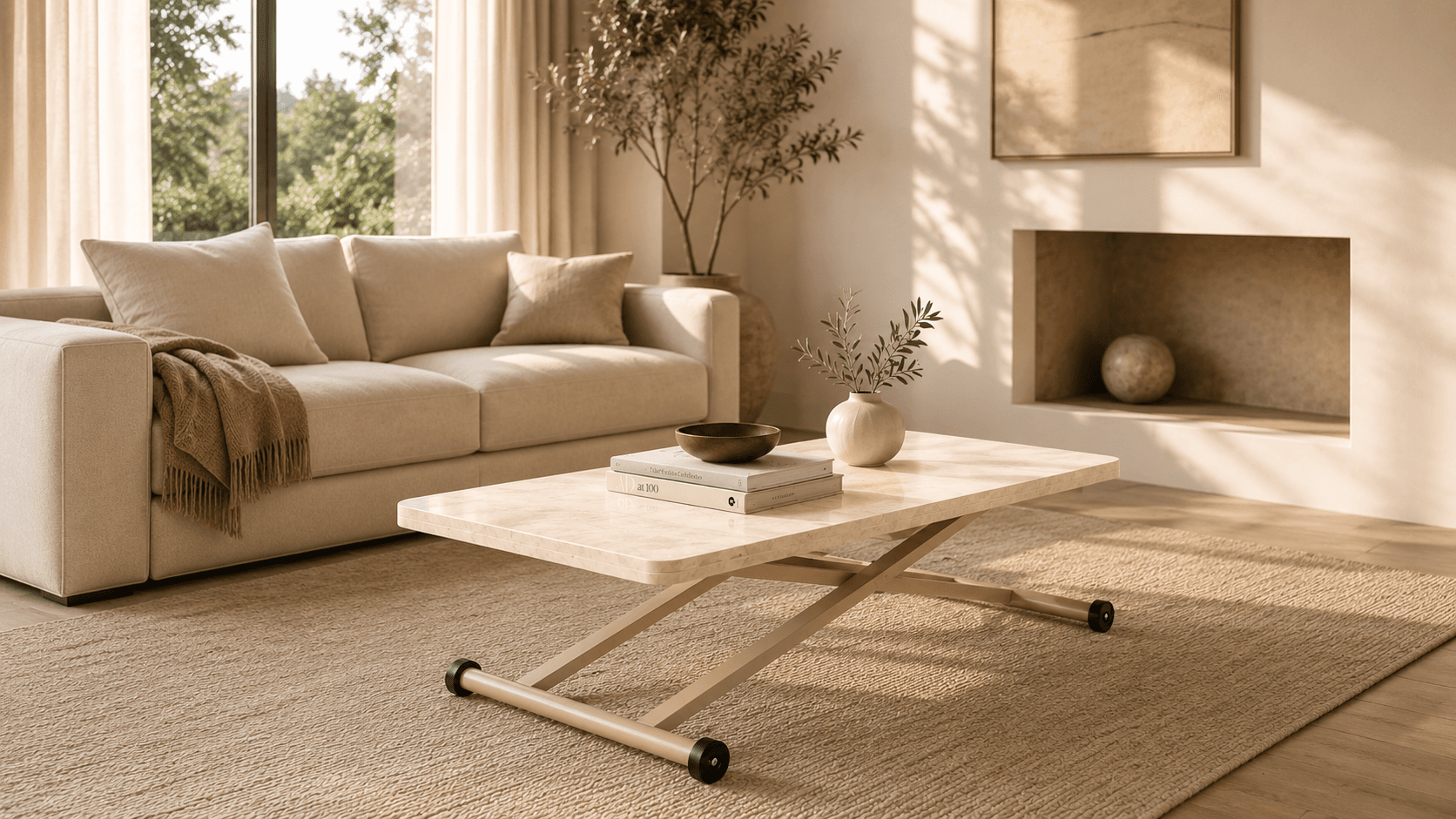
At Massada, we told the story of what the product can do, not just what it is.
For Massada, the buying decision was not centered solely on the model, dimensions, or color. The way a smart coffee table could transform into different configurations, how much usable space a folding table created when opened, and how much room a piece of furniture occupied in the home were also part of its value. We therefore built the store around making the movement and different uses of functional furniture easy to understand.
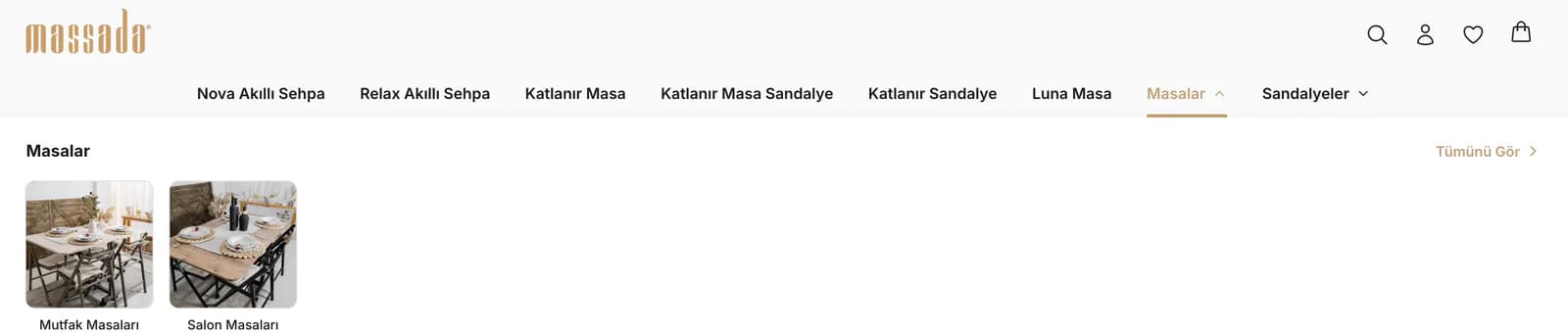
In the navigation, we separated Nova, Relax, Folding Tables, Luna, tables, and chairs into direct product groups. Instead of asking customers to browse through a broad furniture catalog, we created a structure that let them reach the product family they were interested in quickly. We kept the same principle from the homepage through to the product detail page: before buying a piece of furniture, customers needed to understand not only how it looked, but also how it could be used.
We created a visual language that gave the furniture room to breathe.
Massada’s product photography featured bright, natural living spaces, wooden surfaces, and dark metal details. We kept the interface simple so it would not compete with those images. Large visual areas, generous spacing, and short pieces of copy directed attention toward the form of each product and the setting in which it was used.
Rather than forcing square and vertical photography into the same frame, we created gallery layouts that could accommodate different aspect ratios. The legs, tabletop, and overall form of the product remained intact within the composition, allowing you to use different shoots in the store without having to prepare them again.
We designed the homepage as a journey through use cases rather than a product list.
Instead of placing product cards one after another on the homepage, we structured the way customers would discover Massada step by step. After the categories, we added trust messages, the Explore Through Videos section, and featured products. These were followed by the Build This Room scene, offers, the Setup in Seconds comparison, content explaining Massada’s product approach, and frequently asked questions.
With this sequence, we did not move directly from a product photo to a purchase call to action. We first introduced the product, then showed how it could be used, placed it within a living space, and brought together the information customers needed as they moved toward a decision.
We turned movement into the store’s main storytelling tool.
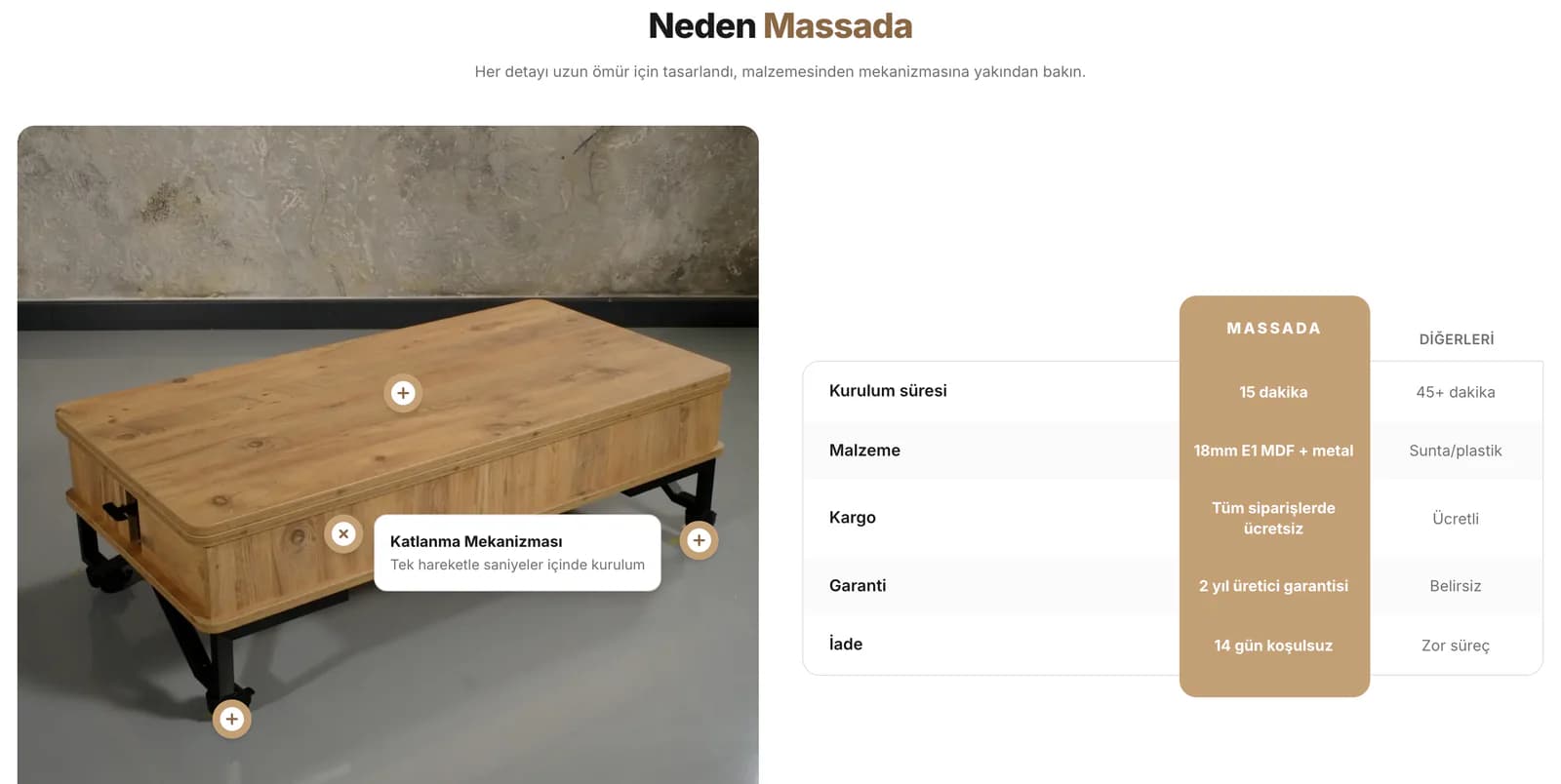
For furniture that could fold or be used in different configurations, a single photograph was not enough to explain the full idea behind the product. That is why video and comparison visuals became fundamental parts of the Massada project.
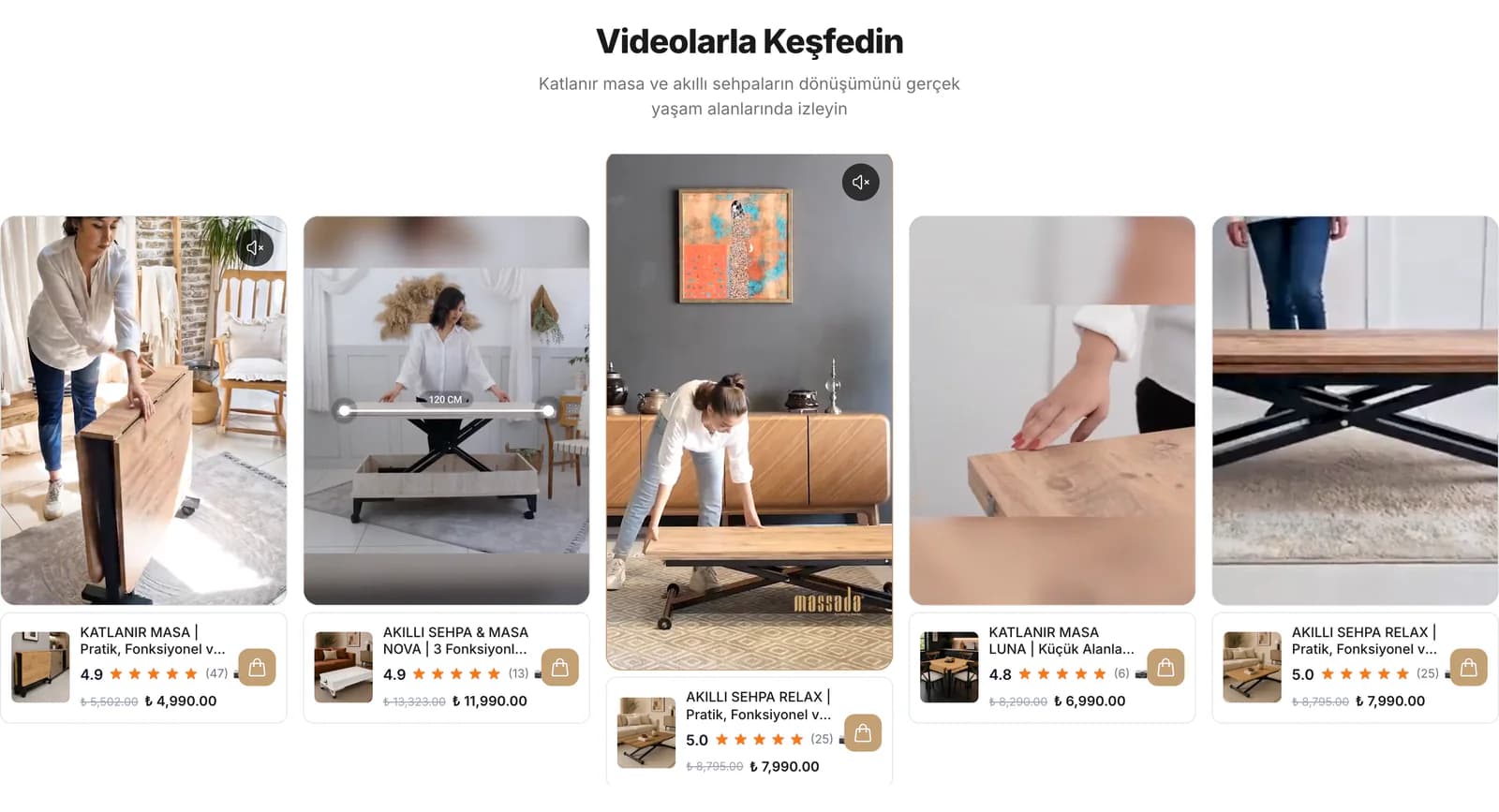
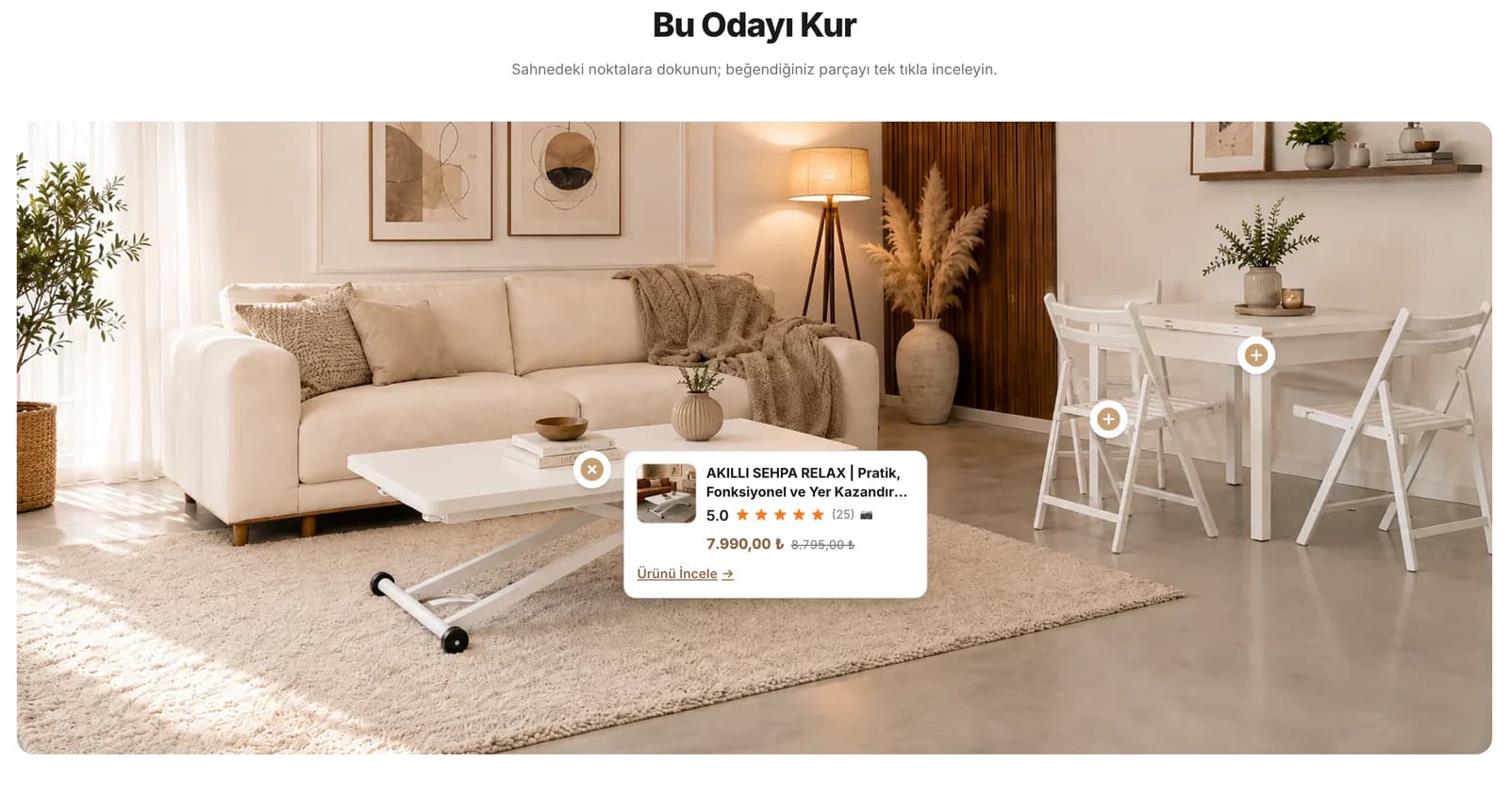
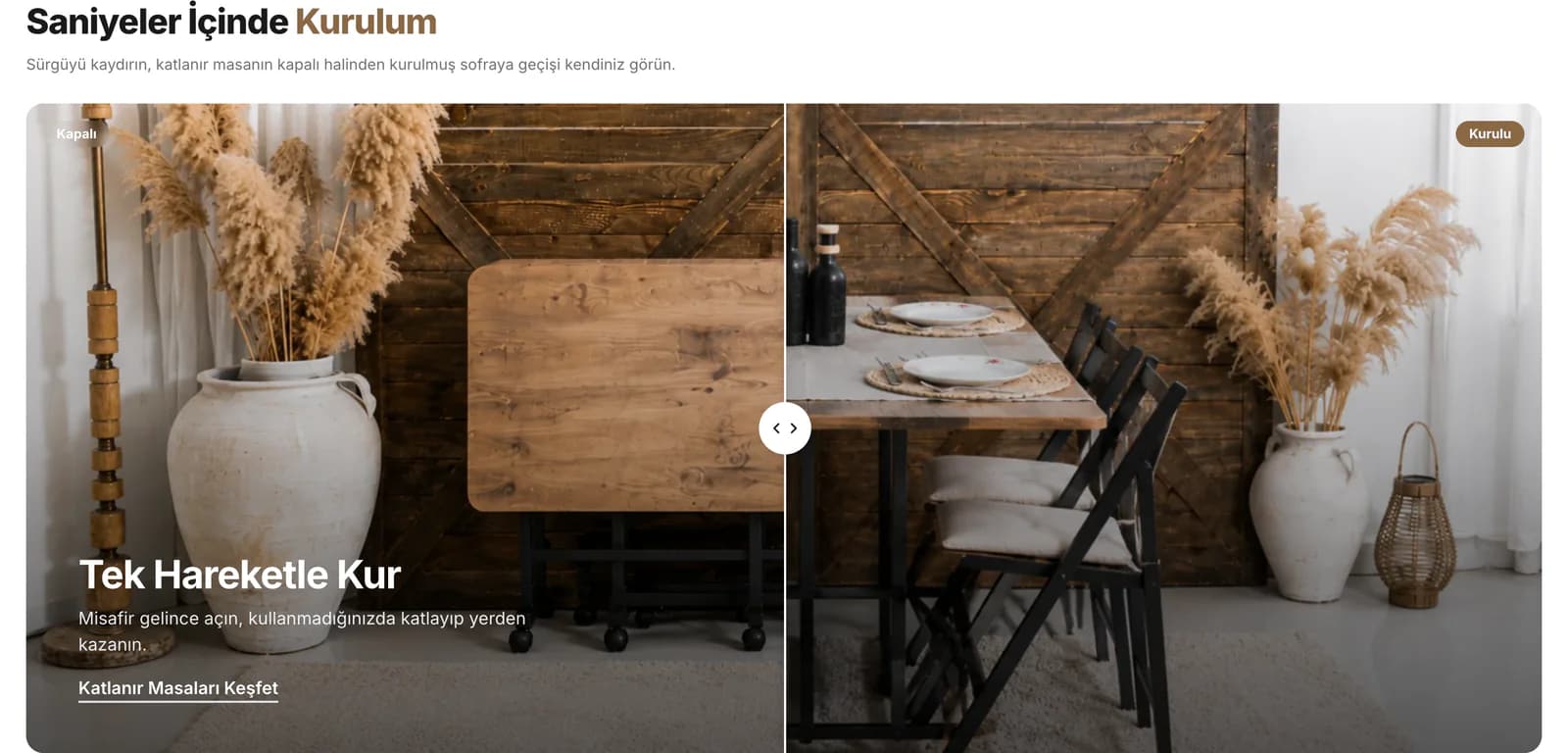
In the Explore Through Videos section, we showed products while they were being used. In the Setup in Seconds section, we placed their closed and open states side by side. In the Build This Room scene, instead of presenting the product against an empty background, we placed it within a real living space alongside other pieces. Before reaching the purchase stage, customers could evaluate how the mechanism worked, how much space the product occupied, and how it could fit into everyday life.
We made the category page part of the selection process.
On category pages such as Folding Tables, we did not begin immediately with product cards. We included information about which living spaces the collection suited, which needs it addressed, and which characteristics stood out within the product group.
We kept sorting options visible and aimed to give customers an understanding of the category before they opened individual products. As a result, the product detail page was no longer the first point of introduction. By the time customers reached it, they already knew which product group they were exploring and why.
We brought the purchase decision together in a single product flow.
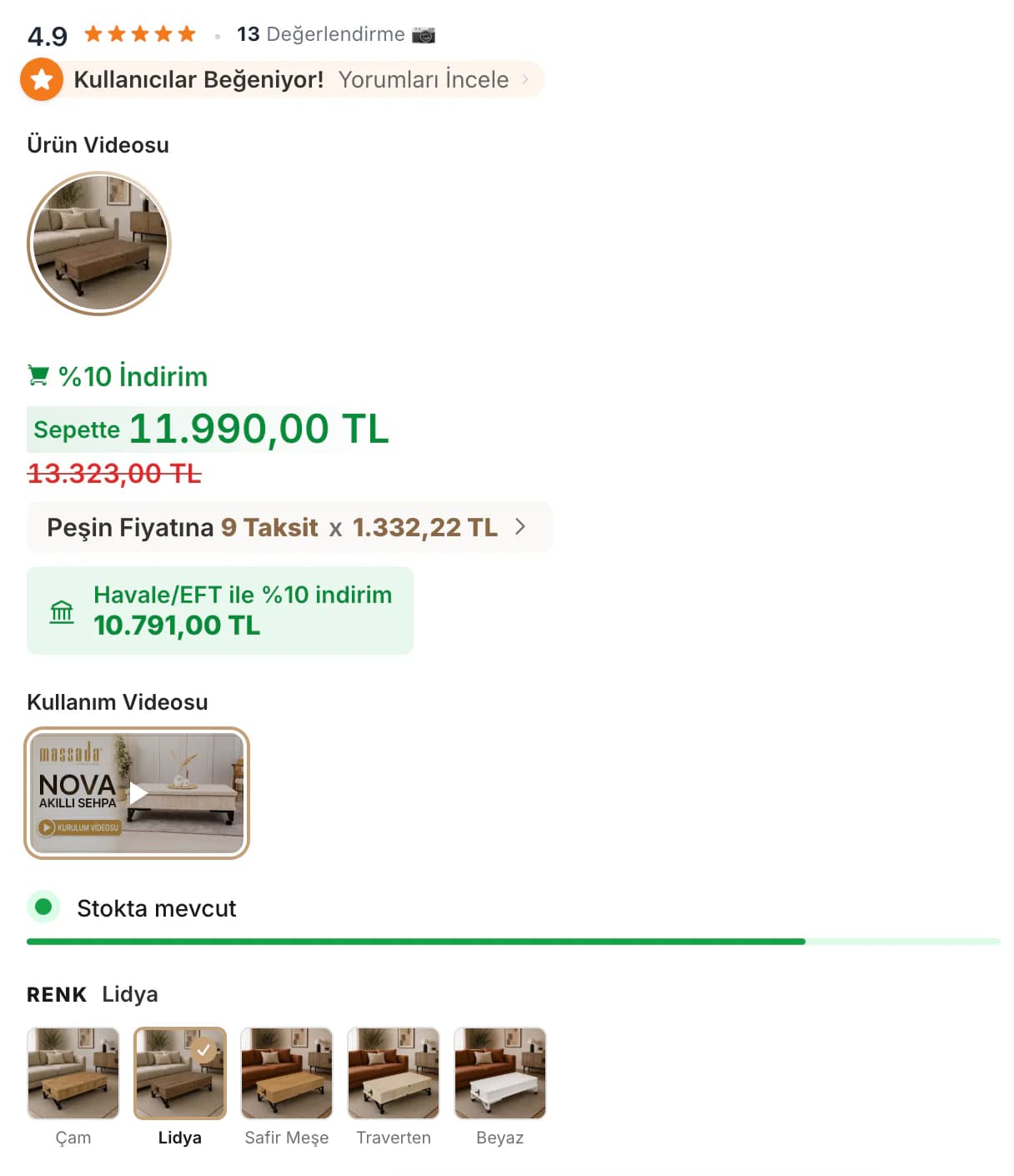
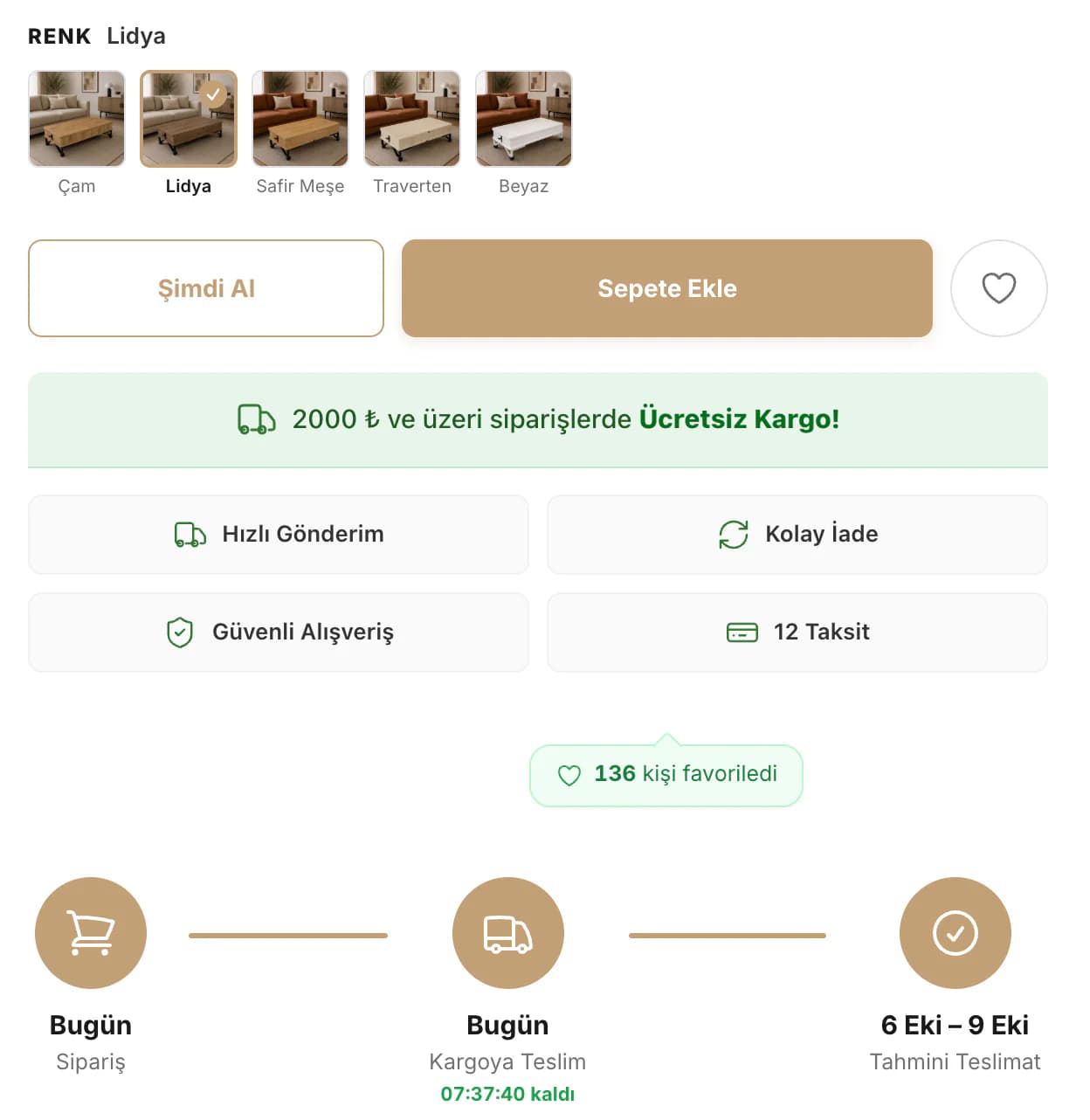
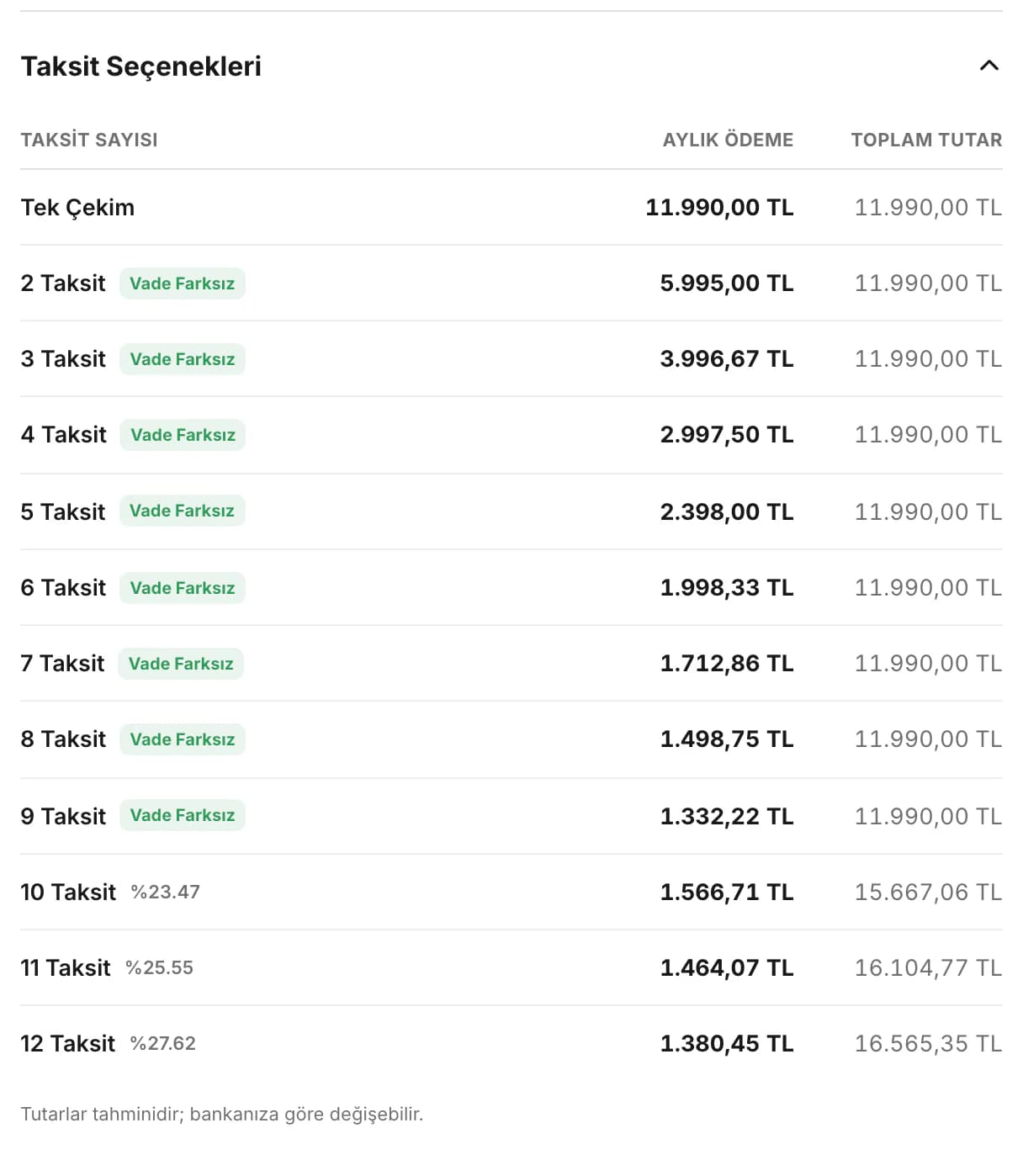
On the product page, we did not treat photography, price, and the add-to-cart area as disconnected elements. We organized the gallery, usage video, color options, price, installment information, bank transfer discount, stock status, and estimated delivery information as parts of the same decision flow.
For products such as Nova, we made color options visually comparable. We continued the gallery story with open and closed configurations, mechanism details, and video. Reviews, trust messages, and frequently asked questions were positioned to address questions that could arise after the customer had selected a product. Customers could see the product’s form, movement, payment options, and delivery process on the same page.
On mobile, we preserved the value of video without making the page unnecessarily heavy.
Removing video would not have been the right choice for explaining Massada’s products. At the same time, we considered the unnecessary load that would come from starting every video as soon as the page opened on mobile. We used lightweight cover images before playback and prepared the actual video content to load when the customer chose to watch it.
We also adapted product imagery for different screen sizes. This allowed us to preserve movement-based storytelling on mobile without loading content before customers wanted to see it.
We left everyday updates in Massada’s own hands.
We defined manageable areas around the information that could realistically change in the store. The shipping schedule, WhatsApp number and preset messages, navigation, installment rates, video lists, and trust content were made editable through the ikas editor. Warranty, return, and campaign messages were included in the same structure.
When a bank rate, delivery detail, or contact information changes, you can update those areas directly. There is no need to revisit the store’s visual structure to make those changes.
We completed Massada around the logic of products that move.
We started the project at the end of July. By mid-August, the store was ready to launch, and after the revision round that followed the presentation, we finalized it on August 19.
The result was not a store that simply listed Massada products by name, price, and photograph. We made the transformation of the smart coffee table, the use case of the folding table, the product’s role within a room, and the information needed for purchase parts of the same narrative. While you can manage content and campaigns on a daily basis, customers can evaluate Massada’s functional furniture in the way they would actually use it.